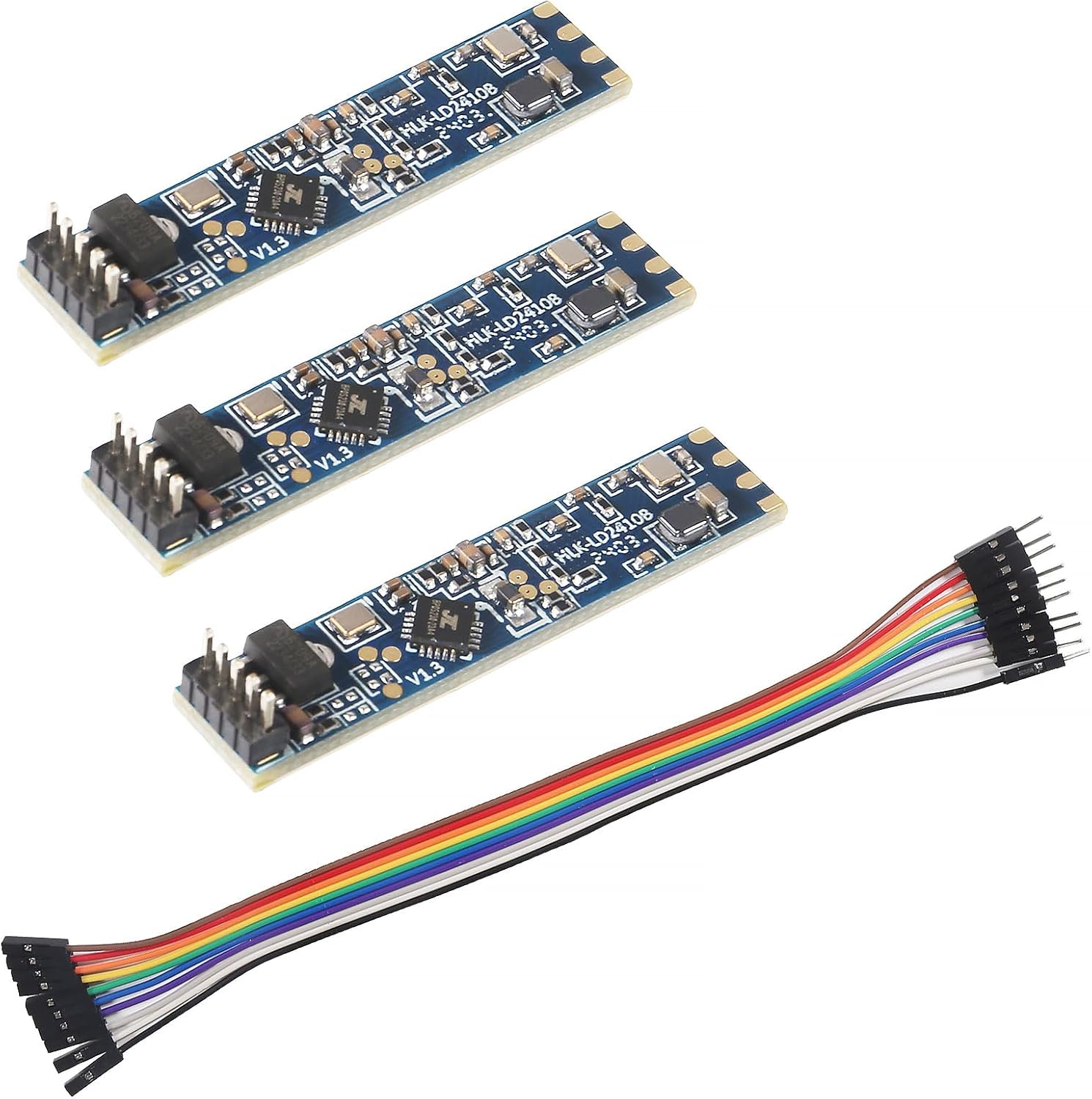
- LD2410C · 3-pack
- Bluetooth: tune it from your phone
- 24GHz radar: sees people sitting still
A UART block, the ld2410 hub and a handful of entities get an LD2410 into Home Assistant. Copy the YAML, flash an ESP32, then tune the gates for your room.
Revised September 2026Set up a hardware UART at 256000 baud, no parity, 1 stop bit, add the ld2410: hub with that uart_id, then add binary_sensor, sensor, number and switch entries with platform ld2410. Home Assistant discovers the device through the ESPHome integration.
The ESPHome LD2410 component needs two things before any entity works: a UART running at the module's speed and a hub that listens to it. Start from this config for a classic ESP32 and change the pins if your board differs.
esphome:
name: office-presence
esp32:
board: esp32dev
logger:
api:
ota:
- platform: esphome
wifi:
ssid: !secret wifi_ssid
password: !secret wifi_password
uart:
id: ld2410_uart
tx_pin: GPIO17
rx_pin: GPIO16
baud_rate: 256000
parity: NONE
stop_bits: 1
ld2410:
id: radar
uart_id: ld2410_uartGPIO16 and GPIO17 are UART2 on most ESP32 dev boards, which keeps the default logger on UART0 out of the way. ESPHome recommends hardware UART pins for this component. Power the sensor from the board's 5V pin, not 3.3V; the pinout guide has the pin order for each module version.
Other boards need different pins. On an ESP32-C3, any two free GPIOs can carry the UART; GPIO20 and GPIO21 are a common pair, and the XIAO ESP32-C3 labels them D7 and D6. On an ESP8266 the only full hardware UART is the one the logger uses, so set the logger's baud_rate to 0 and put the sensor on GPIO1 and GPIO3.
Flash, then open the device logs. If the lines are crossed or the baud is wrong, the ld2410 component logs nothing useful and the firmware version sensor stays empty. Swap TX and RX before you suspect the module.
| Platform | Keys | What it does |
|---|---|---|
| binary_sensor | has_target, has_moving_target, has_still_target, out_pin_presence_status | Presence states for automations |
| sensor | moving_distance, still_distance, moving_energy, still_energy, detection_distance, light, g0–g8 energies | Distances in cm, energy 0–100, light level |
| number | timeout, max_move_distance_gate, max_still_distance_gate, light_threshold, g0–g8 thresholds | Tuning values stored on the module |
| switch | engineering_mode, bluetooth | Per-gate data on or off; module Bluetooth on or off |
| select | distance_resolution, baud_rate, light_function, out_pin_level | 0.75m or 0.2m gates, port speed, OUT behaviour |
| button | factory_reset, restart, query_params | Module maintenance |
| text_sensor | version, mac_address | Firmware version and Bluetooth MAC |
Keys as named in ESPHome's LD2410 component documentation. Light and 0.2m resolution depend on the module's firmware.
The hub alone reads frames but shows nothing. Each platform block in this config turns part of the data into Home Assistant entities, and you only add the ones you plan to use.
binary_sensor:
- platform: ld2410
has_target:
name: Presence
has_moving_target:
name: Moving target
has_still_target:
name: Still target
sensor:
- platform: ld2410
moving_distance:
name: Moving distance
still_distance:
name: Still distance
detection_distance:
name: Detection distance
number:
- platform: ld2410
timeout:
name: Timeout
max_move_distance_gate:
name: Max move gate
max_still_distance_gate:
name: Max still gatePresence is the entity most automations need. It stays on while either a moving or a still target is seen. The distances arrive in centimetres, and ESPHome throttles sensor updates to about once a second by default so the database does not flood.
Choose which presence entity drives which automation. Has moving target reacts fast and suits hallway lights. Has still target is what keeps a desk lamp on while you read. ESPHome applies a one-second settle filter to these binary sensors by default, which stops them chattering.
LD2410C 3-pack |
LD2410B Bluetooth module |
AKAMATIS Presence Sensor v2.2 |
LD2410B-P module |
LD2410B Test Kit | |
| Type | Module | Module | Ready-made sensor | Module | Test kit |
| Version | LD2410C | LD2410B | LD2410B | LD2410B-P | LD2410B |
| Pack | 3-pack | 3-pack | 1 module | 1 module | 1 module |
| Bluetooth | Yes | Yes | Yes | Yes | Yes |
| Cable | — | Yes | — | — | — |
| Get the module | Get the module | Get the module | Get the module | Get the module |
Engineering mode makes the module report the energy seen in every one of its nine distance gates. That is the data you need to find which gate a fan, radiator or neighbour's hallway is lighting up.
switch:
- platform: ld2410
engineering_mode:
name: Engineering mode
sensor:
- platform: ld2410
g2:
move_energy:
name: G2 move energy
still_energy:
name: G2 still energyWith 0.75m gates, gate 0 covers the first 0.75m, gate 1 the next, and so on out to gate 8. A threshold of 100 effectively disables a gate. ESPHome warns that engineering mode costs extra resources, which is why it belongs in a calibration session, not in daily use. Gate size at 0.2m resolution is worked through in setting range and gates.
The AKAMATIS v2.2 pairs an LD2410B with a Seeed ESP32-C3 and an external Wi-Fi antenna, pre-flashed with ESPHome. Join its hotspot, enter your Wi-Fi details and adopt it in Home Assistant.
Get the moduleOnce the device is adopted, Home Assistant creates entity IDs from the node name and the entity name. A node called office-presence gives you binary_sensor.office_presence_presence and friends.
A plain entities card plus a history graph is enough to see presence, distance and the timeout at a glance. Paste this into a manual card:
type: vertical-stack
cards:
- type: entities
title: Office radar
entities:
- binary_sensor.office_presence_presence
- binary_sensor.office_presence_still_target
- sensor.office_presence_detection_distance
- number.office_presence_timeout
- type: history-graph
hours_to_show: 12
entities:
- binary_sensor.office_presence_presenceFor automations, trigger lights on the Presence entity turning on and off with a delay of your choosing. Keep the module's own timeout short and put the longer hold in Home Assistant, where you can change it without touching the sensor.
If you run several sensors, give each node a clear room name before adoption. Renaming later changes the entity IDs, and every card and automation that refers to them has to follow.
The B and C modules speak Bluetooth, and Home Assistant has an LD2410 BLE integration that talks to them directly. You need a Bluetooth adapter on the Home Assistant host or an ESPHome Bluetooth proxy in range.
The BLE route suits a sensor powered by a USB charger with no microcontroller at all. It needs the module's Bluetooth left on, which ESPHome users often switch off, and range is limited to what your adapter or proxy covers.
For most wired builds ESPHome remains the fullest option, because every gate threshold, the timeout and engineering mode appear as entities. If you prefer the phone for tuning, set thresholds in the HLKRadarTool app first; ESPHome reads them back from the module.
Planning several rooms on different microcontrollers? The board-by-board wiring guide gives pins for the ESP32-C3, D1 Mini and ESP8266.
Yes. The ld2410 component is part of ESPHome and covers presence, distances, per-gate energies and tuning values over UART.
It makes the module report energy for each of its nine gates, which you use to set per-gate thresholds. Switch it off after calibrating, since it costs extra resources.
Yes, with a B or C module and the LD2410 BLE integration, provided a Bluetooth adapter or ESPHome proxy is in range.
No. The S uses a different protocol at 115200 baud, so it needs a community component rather than the built-in one.
Distance comes from 0.75m gates, so it moves in coarse steps, and it changes as your posture changes. Use Presence for automations and treat distance as a hint.
Best LD2410