Top modules
24GHz presence radar · 3.3V · low power

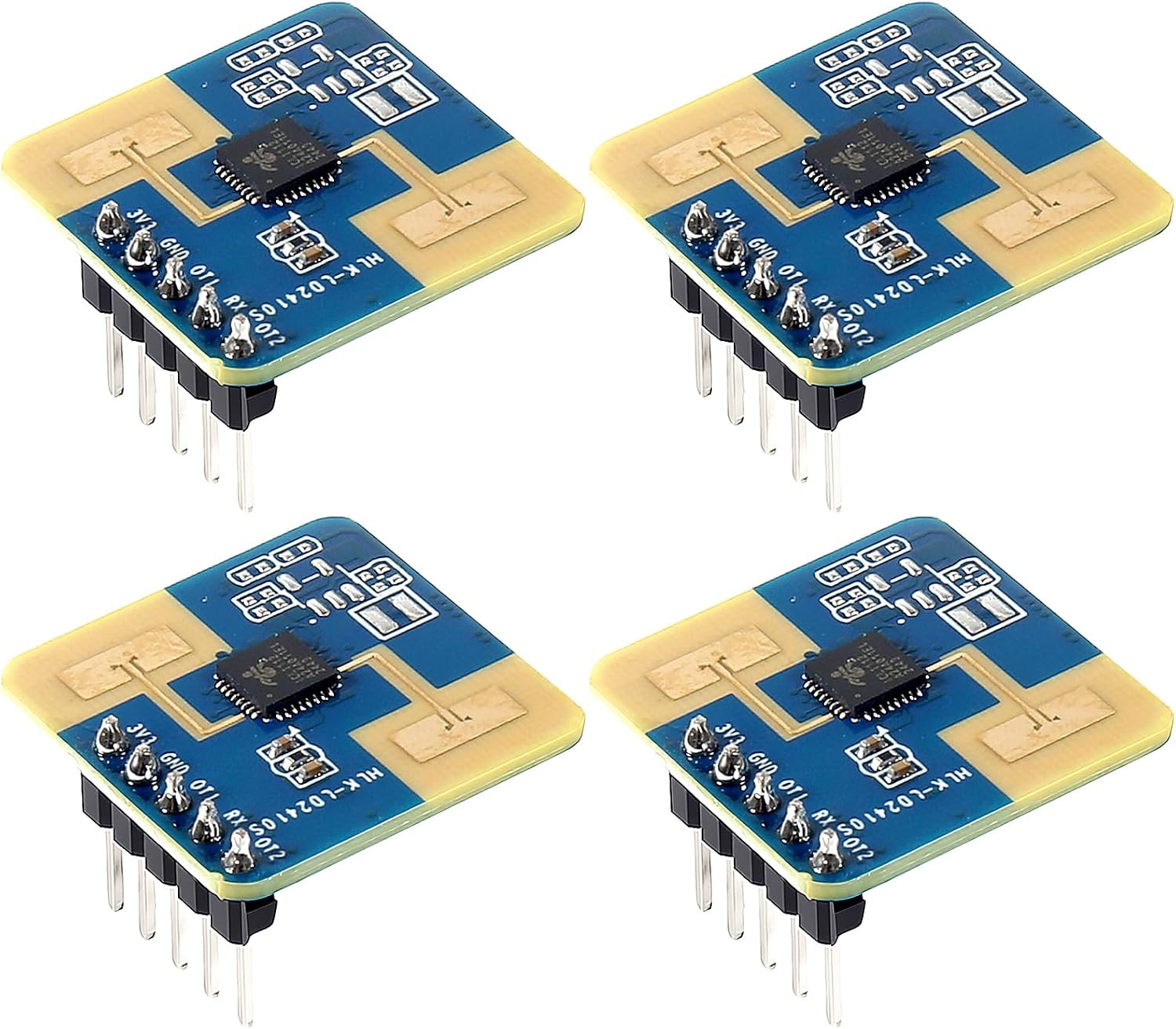
LD2410S Low-Power Module

The member of the family built for batteries: a 3.3V radar with a very low rated current, 8m of reach for moving people and 4m for people sitting still.

  • VersionHLK-LD2410S
  • Supply3.3V, 3.6V maximum
  • Current0.1mA rated, low-power design
  • Range0.2–8m moving, 0.2–4m still
  • InterfacesUART + GPIO output, no Bluetooth
  • PacksSingle or 4-pack
Great for
  • Battery or coin-cell sensors that must last
  • Longer reach for people walking through
  • 3.3V designs with no 5V rail
Not for
  • Copy-paste LD2410C code: the protocol differs
  • Phone tuning: there is no Bluetooth
  • Beginners who want the widest ESPHome support
Get the module
Pack sizes

One to try or four for the house

Run a presence sensor from batteries at 3.3V

Every other LD2410 wants 5V and a steady supply, which ties it to a wall socket or a USB lead. The LD2410S breaks that tie. It runs from 3.3V, carries a rated current of about 0.1mA in its low-power operation, and exists for sensors that live on batteries.

The trick is duty cycling. Rather than transmitting all the time, the S wakes, checks the room and reports at an interval you set. That reporting frequency is configurable, and it is the main lever on battery life: report often and you drain the cells faster, report rarely and presence changes arrive later.

It also reaches further for people on the move:

  • Moving people: 0.2–8m, against 5m for the C.
  • Stationary people: 0.2–4m, a little shorter than the C's still range.
  • Outputs: a GPIO level for present or empty, plus UART data for distance and state.

Where it earns its place:

  • A presence sensor in a room with no socket near the ceiling.
  • Hallway and stairwell lighting on a battery-powered controller.
  • A desk occupancy node that runs for months on a pack of cells.
  • Any 3.3V product where adding a 5V boost converter costs space and current.
The real battery figure is yours to find. The 0.1mA rating is the radar alone. Your microcontroller, its Wi-Fi or Zigbee radio and the regulator often draw more than the S does, so the whole node's sleep current decides battery life.

Pair it with a low-power controller that sleeps between reports, such as an ESP32-C3 in deep sleep woken by the S's GPIO line, or a Zigbee or Thread chip.

Datasheet

Board details

SpecValue
ModelHLK-LD2410S
Frequency band24GHz ISM
DetectsMoving and stationary people
Range, moving people0.2–8m
Range, stationary people0.2–4m
Measurement accuracy±12.5%
Supply voltage3.3V nominal
Maximum supply voltage3.6V
Rated current0.1mA (low-power operation)
InterfacesUART and GPIO
ConfigurableDetection range and reporting frequency
ProtocolLD2410S-specific; not the LD2410B/C command set
BluetoothNo
Upper temperature rating85°C
MountingWall
Pack options1 or 4 modules

Keep 5V away from the S supply pin

The S has a 3.6V maximum supply, and that single number is the easiest way to kill one. Habits from the B and C, where VCC takes 5V, carry straight over and destroy the module. Wire the S to a 3.3V rail only.

  1. Take power from a 3.3V regulator or the 3V3 pin of your board, never from VIN or 5V.
  2. Share ground with the microcontroller.
  3. Cross the serial lines: S TX to board RX, S RX to board TX.
  4. Run the GPIO output to a wake-capable pin if the controller sleeps.
  5. Check the silkscreen on your board for pad order before the first power-up.
If you run a mixed drawer of LD2410 modules, mark the S boards. They look close enough to the others that a 5V lead ends up on one sooner or later.

Supply choices by power source:

SourceRoute to the SWatch for
LiFePO4 cell (3.2V)Direct, if in rangeVoltage sag near empty
Li-ion cell (3.0–4.2V)Low-quiescent LDO to 3.3VA full cell exceeds 3.6V
2 × AA or AAABoost converter to 3.3VBoost idle current
USB 5V3.3V regulatorThen the C may suit better

A fresh Li-ion cell sits above 3.6V, so it cannot feed the S directly. A low-quiescent regulator keeps the saving the S offers; a cheap one with milliamps of idle current throws it away.

The shared power and pin figures for the family sit on the LD2410 pinout page, and the datasheet summary lists the S alongside the others.

Among the others

Its place in the range

LD2410 sensor models by type, September 2026. Highlighted: LD2410S low-power module.

Talk to its own protocol from ESPHome or Arduino

The S does not speak the LD2410B and LD2410C command set. It has its own frame format and commands in Hi-Link's LD2410S protocol document, and a different default baud rate, commonly documented as 115200 rather than 256000. Code, libraries and YAML written for the C will open the port and hear nothing they understand.

What that changes on your build:

  • ESPHome: the stock ld2410 component is written for the B/C protocol. For the S, use an S-specific external component, or read the GPIO output as a plain binary sensor.
  • Arduino: LD2410 libraries built for the C do not parse S frames. Look for one that names the S, or parse the frames from the protocol document yourself.
  • Configuration tools: there is no Bluetooth, so tuning goes over serial with Hi-Link's tool, a USB-serial adapter and a 3.3V supply.

The simplest reliable start skips the UART entirely:

binary_sensor:
  - platform: gpio
    pin: GPIO3
    name: Presence
    device_class: occupancy

Pick a pin that can wake the controller from deep sleep, and let the S do the watching while everything else is off. On an ESP32-C3, the low GPIO numbers can wake it; check your board's documentation for which ones.

That gives you occupancy in Home Assistant with the S's default thresholds. Once it works, add the UART for distance and configuration. Confirm the baud rate against the manual for your firmware before you blame the wiring.

The general ESPHome approach, and where the S differs from the C, is covered on the ESPHome page, with board-by-board UART pins on the wiring page. For the configurator itself, see installing the LD2410 tool.

Swap options

Other boards to try

Mains-powered rooms1 LD2410C single module
LD2410C single module
The LD2410C takes 5V, tunes over Bluetooth and works with the stock ESPHome component.
  • LD2410C · 1 module
  • Bluetooth: tune it from your phone
  • 24GHz radar: sees people sitting still
Get the module
Long rooms and high ceilings3 JMT LD2410-AA module
JMT LD2410-AA module
The LD2410-AA reaches 9m for moving people and handles ceilings up to 6m.
  • LD2410-AA · 1 module
  • 24GHz radar: sees people sitting still
Get the module

Choose the S when standby current decides it

The S is the right module when power is scarce, and the wrong one when it is not. On mains or USB power, the C gives you Bluetooth tuning, the widest software support and 5V wiring that matches most boards. Pick the S when the battery, the 3.3V rail or the 8m reach for walking people is the reason for the build.

NeedLD2410SLD2410C
Supply3.3V5V
Moving rangeUp to 8mUp to 5m
Still rangeUp to 4mUp to 5m
BluetoothNoYes
Stock ESPHome componentNoYes

The S comes as a single module and as a 4-pack. Order one first if you are writing your own firmware, because the protocol work is the slow part and one board is enough to finish it. Move to the 4-pack once one node runs on its battery for a few weeks.

One more trade to weigh: the S reaches further for walking people but holds a shorter range for someone sitting still. In a long hallway that suits it well. Over a sofa four or more metres from the wall, the C's longer still range fits better.

Tick these off on the bench:

  • The board is marked LD2410S, not LD2410 or LD2410C; they look alike.
  • Your controller has a 3.3V rail, or you have a regulator ready.
  • You have a 3.3V USB-serial adapter for configuration.
  • Your software stack has S support, or you are ready to write it.

For a mains-powered build, go to the LD2410C. For the full family side by side, see the version comparison.

Troubleshooting

Wiring questions

Can I power the LD2410S from 5V?

No. Its maximum supply is 3.6V. Feed it from a 3.3V rail or regulator.

Does the LD2410S work with the ESPHome ld2410 component?

No. The S uses a different protocol. Use an S-specific external component, or read its GPIO output as a binary sensor.

How long will an LD2410S run on batteries?

It depends on the reporting interval, your controller's sleep current and the regulator. The radar is rated at about 0.1mA, but the rest of the node often draws more.

Does the LD2410S have Bluetooth?

No. Configure it over UART with a 3.3V USB-serial adapter and Hi-Link's tool.

Best LD2410