Top modules
24GHz stationary presence radar · 3- and 4-packs

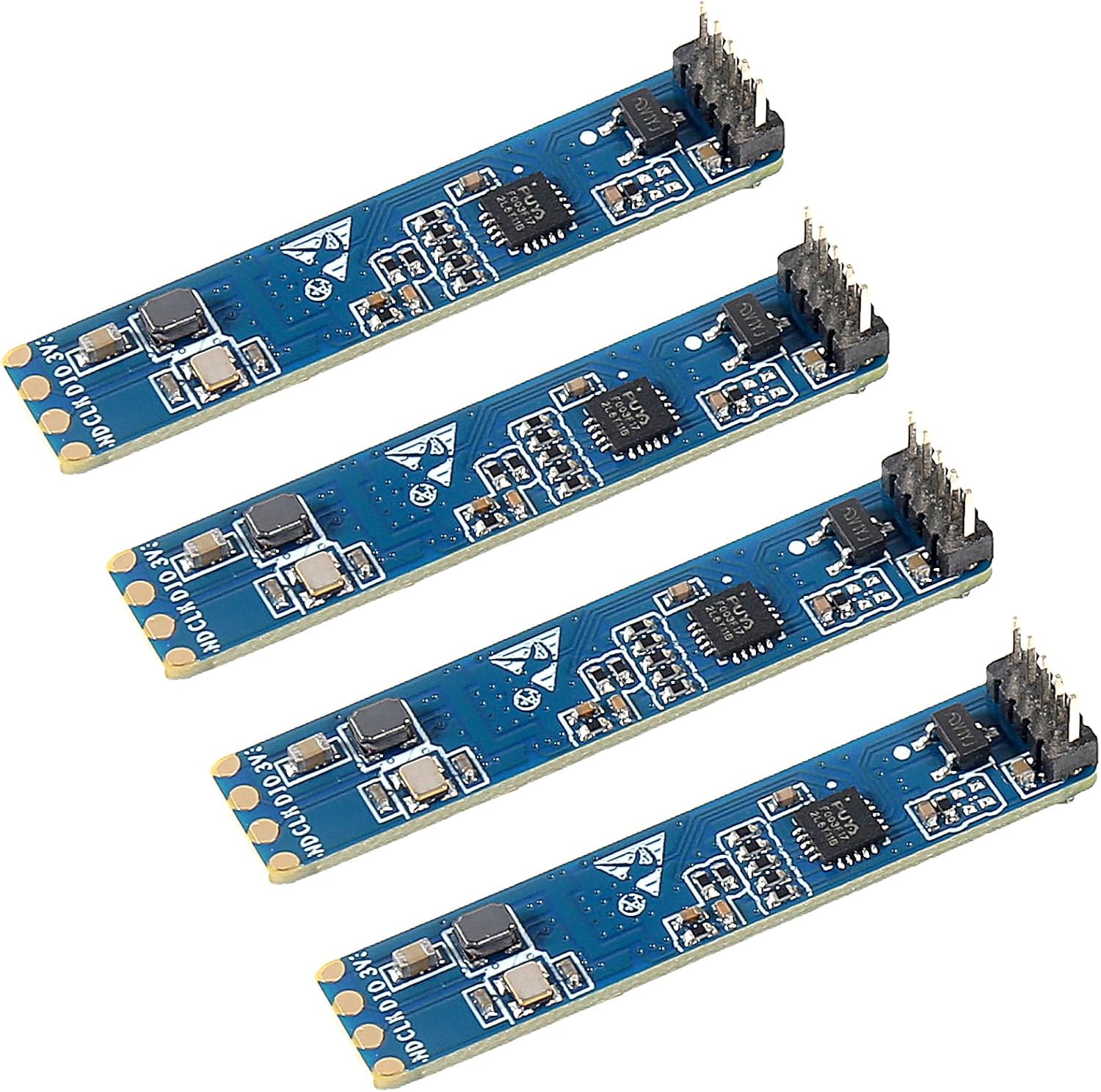
LD2410D Module

A newer, streamlined LD2410 tuned for stillness: it looks for people sitting, reading or sleeping, and Hi-Link documents exact coverage for ceiling and wall mounting.

  • VersionHLK-LD2410D
  • Radar24.125GHz, motion, micro-motion and presence
  • Ceiling3m high covers a 4m-radius cone
  • Wall1.5–2m high, 6m range, ±60°
  • InterfacesUART + IO level output
  • Packs3, 4, or 1–10 pieces
Great for
  • Ceiling-mounted occupancy in bedrooms and offices
  • Detecting people who sit or lie still
  • Buying several identical sensors at once
Not for
  • Phone tuning: Bluetooth is not part of its spec
  • Copying LD2410C code without checking its manual
  • A single test unit: it comes in multi-packs
Get the module
Pack sizes

Three, four or up to ten

Hang the D on a 3-meter ceiling and cover a 4-meter circle

The LD2410D is a stationary presence sensor. Its firmware is built around small movements, the breathing and shifting of someone sitting or lying down, rather than people walking through. Hi-Link gives it clear mounting geometry, and the ceiling case is the one it suits best.

Mounted on a 3m ceiling, the D's motion detection covers a cone whose base is a circle 4m in radius on the floor. That is a circle 8m across, roughly 50 square metres, from one sensor looking straight down. The cone's edge runs at about 53° from vertical.

The D defines its axes for this mount:

  • X axis at 0°, along the ceiling.
  • Z axis at 90°, also in the ceiling plane.
  • Y axis perpendicular to both, pointing straight down at the floor. Hi-Link calls this the normal direction.

On a real ceiling, the antenna face points at the floor and the board lies flat against the ceiling. Tilt it and the cone tilts with it, taking part of the circle up a wall.

Where the ceiling mount pays off:

  • Bedrooms: the whole bed sits well inside the cone, and a sleeping person is only a couple of metres from the sensor.
  • Offices and studies: a desk anywhere in the room stays covered.
  • Living rooms: a sofa against the wall still falls inside a 4m radius from the centre.
The 4m radius is the motion figure at 3m height. Detecting a completely still person is harder than detecting movement, so expect the dependable still-presence area to be smaller and test it at the spots that matter, such as the bed and the armchair.

A higher ceiling spreads the cone wider but weakens the return from the floor. Plan for 3m, and treat anything well above it as something to check with the D's own manual.
Datasheet

Board details

SpecValue
ModelHLK-LD2410D
Sensor typeStationary human presence sensor
Frequency24.125GHz (24GHz ISM band)
HardwareAIoT mmWave radar chip, 24GHz transmit/receive antenna
DetectsMotion, micro-motion and stationary presence
Ceiling mountingAt 3m height: cone with a 4m base radius
Wall mounting height1.5–2m recommended
Wall rangeUp to 6m along the sensor's normal
Wall coverage±60° horizontal and vertical
InterfacesUART and IO level output
Output refreshReal time
EnvironmentIndoor
BluetoothNot in the specification
Pack options3 or 4 modules; 1–10 pieces

Mount it at 1.5 to 2 meters on a wall

When a ceiling mount is not possible, the D also works from a wall. Hi-Link recommends a height of 1.5 to 2m, roughly between chest and head height, with the sensor looking horizontally into the room. From there it covers up to 6m straight out.

The axes change for a wall mount:

  • X axis horizontal, as the reference.
  • Z axis pointing up.
  • Y axis pointing into the room, the direction the sensor looks.

By default, detection reaches 6m along the Y axis within a cone of ±60° both horizontally and vertically. That wide cone is why height matters. Too low and furniture blocks the lower half; too high and the cone spends much of its angle on the ceiling.

MountHeightCoverage
Ceiling3mCone with a 4m-radius base
Wall1.5–2mUp to 6m out, ±60°

Choosing between the two:

  1. Pick the ceiling for rooms where people sit or lie in the middle, like bedrooms.
  2. Pick the wall for long rooms, or where the ceiling has no power.
  3. On a wall, aim across the room, away from windows, doors and radiators.
  4. Keep the sensor off walls shared with a busy neighbouring room, since 24GHz passes through plasterboard.

Fans and moving curtains produce energy that looks like a restless person, and a presence sensor tuned for stillness picks it up readily. Keep them out of the cone where you can. The range and field of view page explains how cone angle and distance play out across the family.

Among the others

Its place in the range

LD2410 sensor models by type, September 2026. Highlighted: LD2410D module.

Check the D's protocol before you reuse C code

The D offers a UART and an IO level output, like the rest of the family, but it runs its own streamlined firmware. Do not assume it answers the LD2410C command set at 256000 baud. Confirm the frame format, default baud rate and supply voltage against Hi-Link's LD2410D manual before you wire it into an existing design.

A safe order of work:

  1. Read the supply voltage and pin order from the D's own documentation and silkscreen. Do not copy them from a B or C diagram.
  2. Power it and watch the IO output with a multimeter or an LED on a transistor. Walk in and out of the cone.
  3. Only then connect the UART, with a 3.3V USB-serial adapter, and check what frames arrive.
  4. Compare those frames with the manual before you point an existing library at it.

The IO output is the quickest route into Home Assistant, and it needs no protocol support at all:

binary_sensor:
  - platform: gpio
    pin: GPIO4
    name: Bedroom presence
    device_class: occupancy

That gives you occupancy on the D's default settings. Distance readings and tuning come later over the UART, once you know the protocol it speaks.

If you want a stationary-presence sensor with the widest ready-made software support, the LD2410C works with the stock ESPHome ld2410 component. The D suits builds where its ceiling geometry is the reason for choosing it.

For the general wiring approach, see ESP32 and Arduino wiring and the pinout reference. Get the configuration software from the LD2410 app and PC tool notes; check that the tool version you download names the D before you connect it.

Swap options

Other boards to try

Widest software support1 LD2410C single module
LD2410C single module
The LD2410C works with the stock ESPHome component and tunes from a phone over Bluetooth.
  • LD2410C · 1 module
  • Bluetooth: tune it from your phone
  • 24GHz radar: sees people sitting still
Get the module
High ceilings, long rooms2 JMT LD2410-AA module
JMT LD2410-AA module
The LD2410-AA reaches 9m for moving people and handles ceiling mounts up to 6m.
  • LD2410-AA · 1 module
  • 24GHz radar: sees people sitting still
Get the module

Buy the D in threes and fours

The LD2410D comes as a 3-pack, a 4-pack, and in a multi-option bundle of one to ten pieces whose menu also offers the LD2410B. There is no plain single module. That suits the D's job: a stationary presence sensor tends to go into every bedroom and office at once.

  • 3-pack: bedrooms in a small flat, or one sensor to experiment with and two to install.
  • 4-pack: a family house's bedrooms plus a study.
  • 1–10 pieces: this bundle covers several quantities and also the LD2410B, so make sure you pick the D and the count you want.

Keep one module on the bench while the rest go in. Working out the protocol and your preferred thresholds on a spare is far easier than on a board already screwed to a ceiling.

How the D compares:

ModuleStrengthTrade-off
LD2410DStillness, clear ceiling geometryCheck its protocol first
LD2410CBluetooth, ESPHome support, 2.54mm pins5m rating
LD2410-AA9m reach, ceilings up to 6mSingle test kit
LD2410SBattery-friendly, 3.3VOwn protocol, no Bluetooth

Three boxes to tick for the D:

  • The board is marked LD2410D.
  • You have the D's manual, or a plan to use the IO output only.
  • Your rooms suit a ceiling or 1.5–2m wall mount.

Family specs side by side are on the datasheet summary.

Troubleshooting

Wiring questions

What is the LD2410D designed for?

Stationary presence: detecting people who sit, read or sleep. Its firmware focuses on micro-motion, and Hi-Link gives ceiling and wall coverage figures.

How much area does one LD2410D cover on a ceiling?

At 3m height, the motion cone reaches a 4m radius on the floor, a circle about 8m across. Expect a smaller circle for still presence once it is on the ceiling.

Does the LD2410D work with the ESPHome ld2410 component?

Do not assume it. Check its protocol in the D manual first, or start with its IO output as a GPIO binary sensor.

Can I buy a single LD2410D?

It comes in 3- and 4-packs and in a one-to-ten-piece bundle; choose the quantity within that bundle.

Best LD2410